
Additional Information
Features and specifications
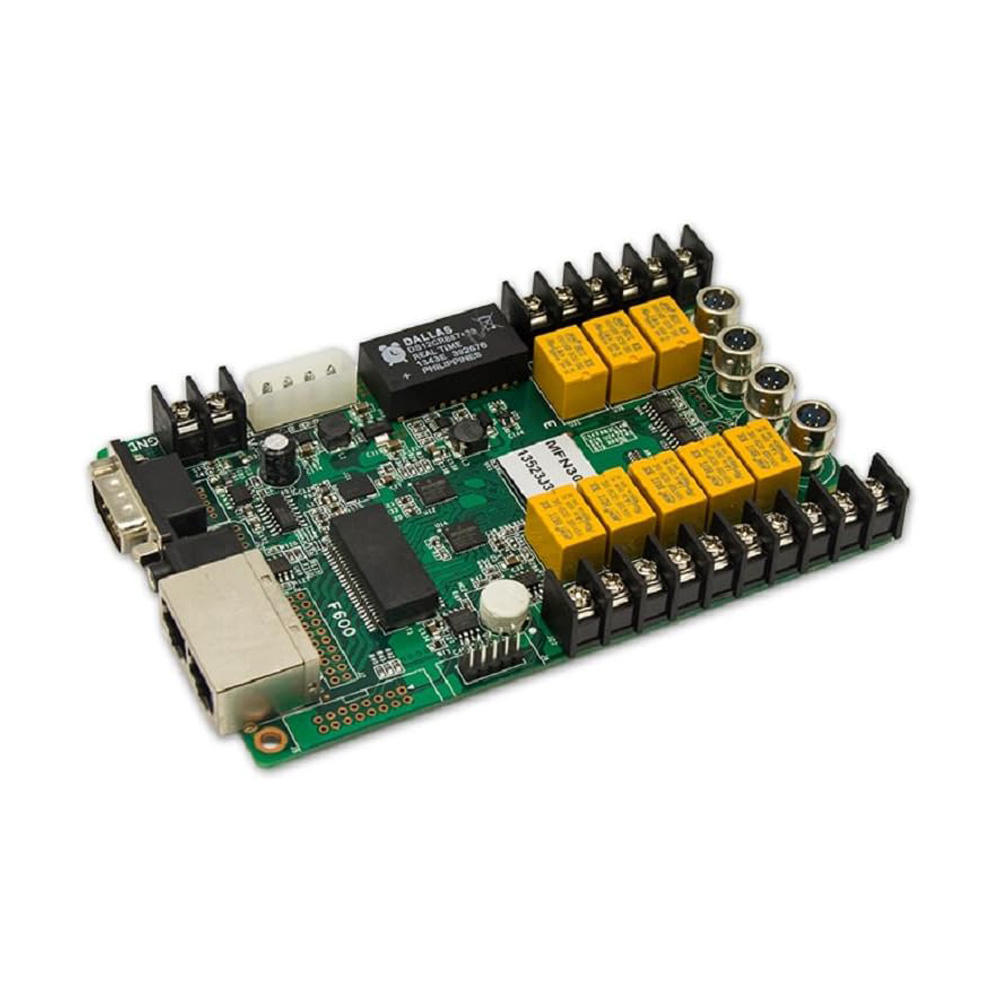
Automatic brightness
Plug in light sensors and your screen adjusts itself to the light around it, so it isn't too dim by day or too bright at night.
Temperature and humidity checks
Keep an eye on conditions inside the power distribution box, and add an external temperature and humidity module for more data.
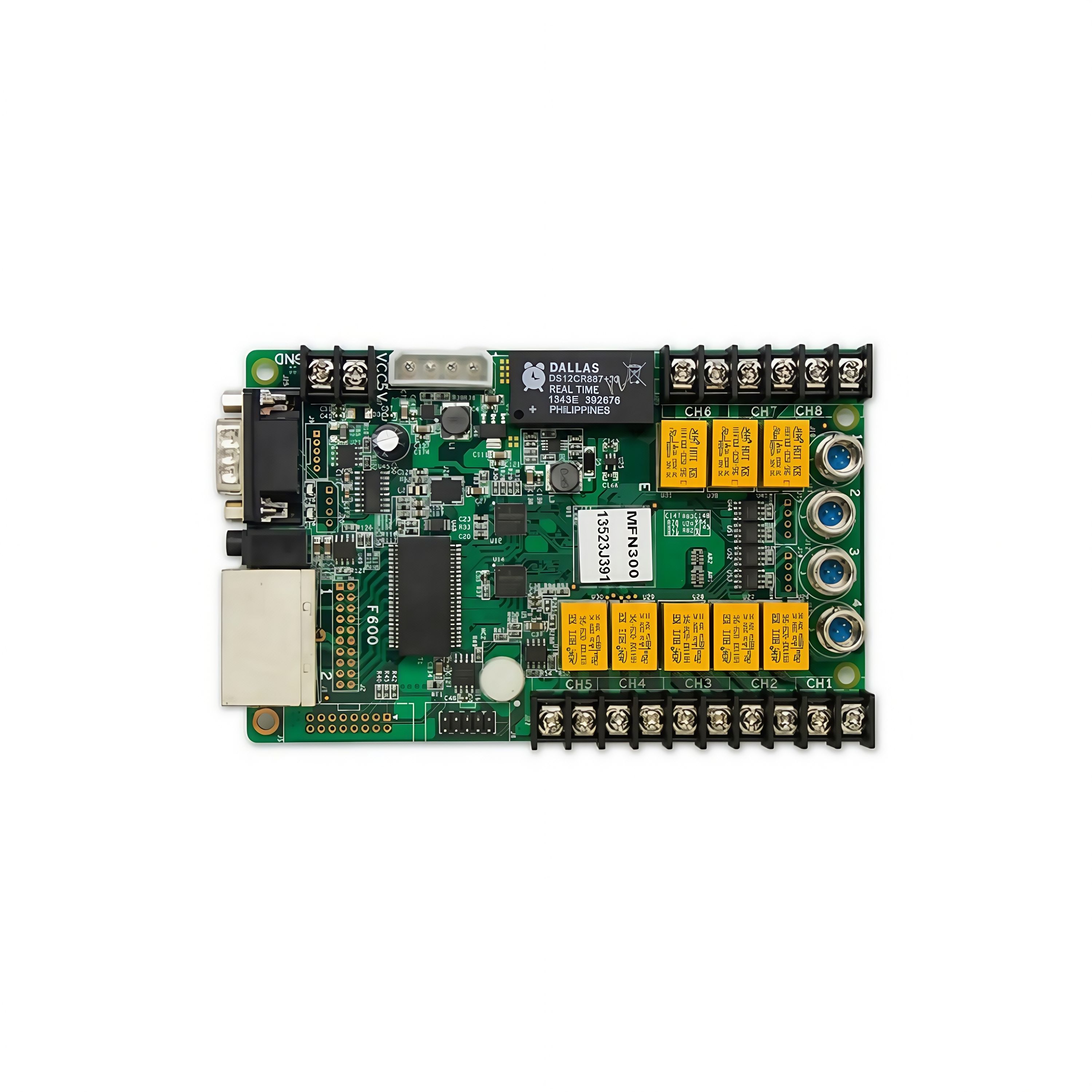
8 power switches
Turn external devices on and off through eight relay-controlled switches, without a separate controller.
Built-in timer and delayer
Schedule and delay power actions on the card itself, so you don't need extra timer devices.
Fits anywhere in the chain
Place it after the sending card, between two receiving cards, or at the end of the Ethernet chain.
RS232, Ethernet and audio
Connect by RS232 or Gigabit Ethernet, and use the 3.5mm audio output when your screen needs sound.
| Model | NovaStar MFN300 multifunction card (MFN300-B is the boxed version) |
|---|---|
| Communication | RS232 serial and Gigabit Ethernet |
| Power switches | 8 relay-controlled channels |
| Light sensors | MFN300: up to 4. MFN300-B: 2 sensor ports (light or temperature sensors) |
| Environment monitoring | Temperature and humidity in the power distribution box (MFN300-B: temperature) |
| Audio output | 3.5mm |
| Timer | Built-in timer and delayer |
| Configuration | NovaLCT-Mars software, Function Card page |
| MFN300-B input voltage | AC 100–240V, 50/60Hz, rated current 0.05A |
| MFN300-B max power | 5W |
| MFN300-B switch rating | AC 250V or DC 30V, 3A |
| MFN300-B environment | –20°C to +75°C, 0% to 90% RH, non-condensing |
| MFN300-B size and weight | 204.0 × 163.0 × 48.0 mm, net weight 1154.6 g |
| MFN300-B in the box | Power cord, signal cable, certificate |
| MFN300-B certifications | FCC, IC |
Where it works well
Choose the MFN300 card if you want to build it into your own power or control cabinet. Choose the MFN300-B if you'd rather have a ready-made box that connects with a power cord and signal cable.
- Outdoor advertising screens. Let the screen dim and brighten with daylight.
- Power distribution cabinets. Switch devices on and off and watch the temperature inside.
- Fixed installations. Run screens on a schedule without extra timers.
- Upgrading an existing screen. Add sensors and power control to a system that's already running.
- Rental and event screens. Control power and audio from one small unit.
Frequently asked questions
What's the difference between the MFN300 and MFN300-B?
The MFN300 is the multifunction card. The MFN300-B is the boxed version, with the same kind of features in a standalone enclosure that's easier to install.
How do I set it up?
Open the NovaLCT-Mars software and click Function Card. From there you can add the card over a serial or Ethernet port, rename it, or remove it.
What sensors can I connect?
The MFN300 takes up to four light sensors and supports external temperature and humidity modules. The MFN300-B has two sensor ports for light or temperature sensors.
How does it connect to my system?
Through RS232 serial or a Gigabit Ethernet port. You can wire it straight to a computer for setup, or place it in the signal chain.
Where does it go in the signal chain?
Between the sending card and the first receiving card, between two receiving cards, or after the last receiving card. The MFN300-B goes before the first or after the last receiving card.
Can it switch AC power directly?
The MFN300-B switches are rated up to AC 250V or DC 30V at 3A. Check your load against that rating before you connect anything.
Not sure which one you need?
Tell us about your screen and what you want to control, and our team will suggest the MFN300 or MFN300-B and send a quote.
- Warranty and repair support
- After-sales help from our technicians
- Training and setup guidance